Docs / Guides / Feedback Inbox
Feedback Inbox
Every widget submission lands in a per-site inbox. Read comments, inspect client debug, filter by sentiment, status, and tag, and search the text - on every plan.
Open the Inbox
-
Pick a Site
From the dashboard, open Sites and choose the property you want to review.
-
Open Feedback
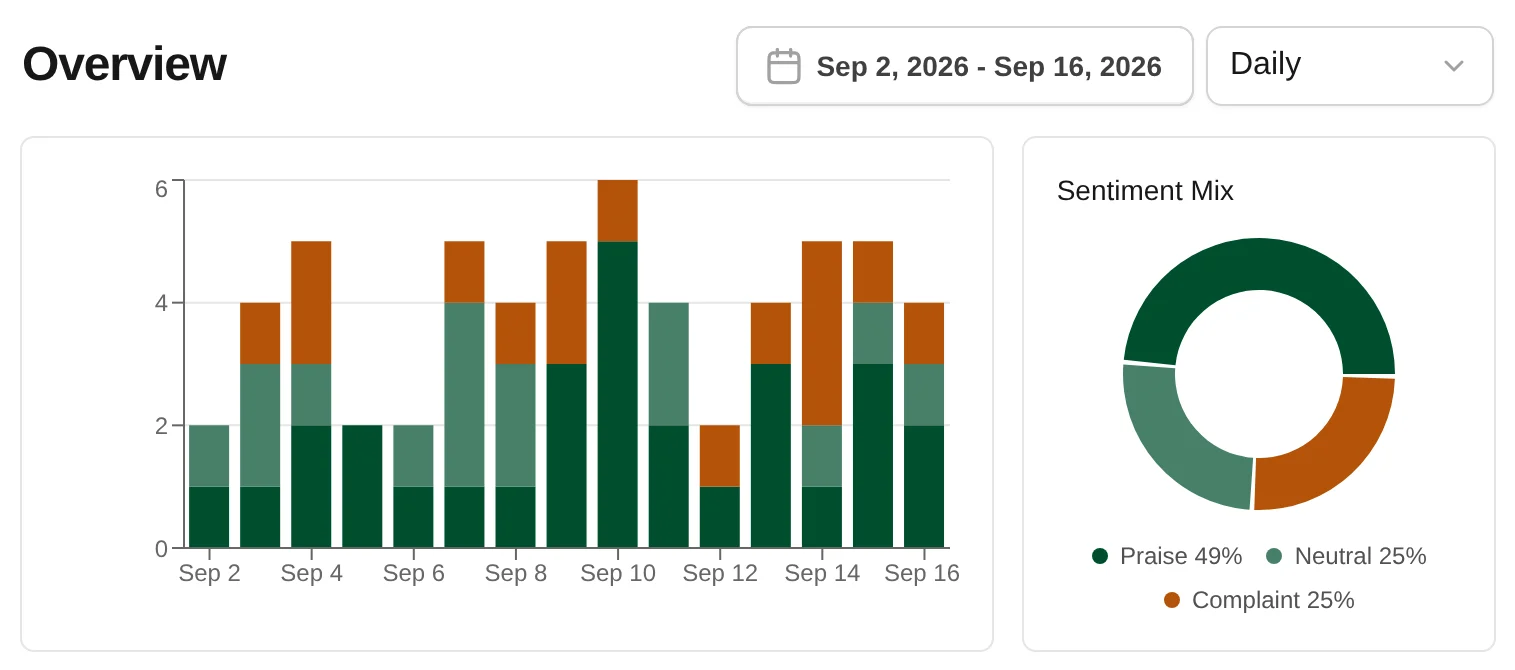
Click Feedback in the site menu. New reports appear at the top with sentiment, comment text, page URL, and submit time.
-
Open a Report
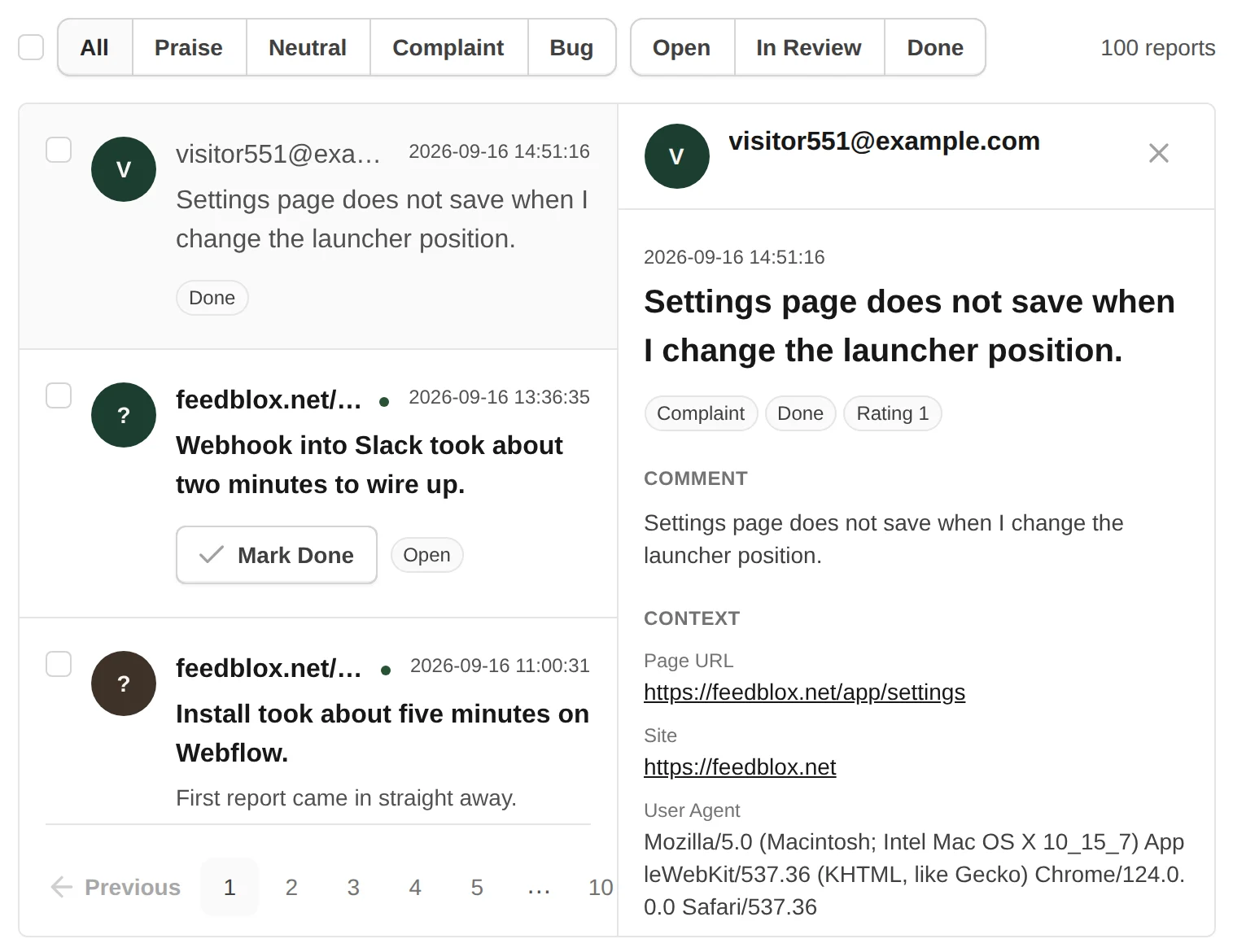
Click a row to read the full comment, extra field answer, element-trail repro summary, and client debug (console, network, JS errors, optional metadata).
Filter and Search
Use sentiment filters to focus on negative, neutral, or positive reports. When triage is enabled, filter by Open, In Review, or Done. Search matches comment text and metadata where configured.
- Sentiment chips map from faces, stars, thumbs, NPS, or scale input modes
- Status filters appear when Feedback Triage is enabled for the site
- Bulk select rows for archive, export, or status updates when triage is on
Inbox Without Triage
Triage is optional per site. When it is off, the inbox stays a simple list. You can still archive or delete reports in bulk, and switch to an Archived tab to review closed items. See the Feedback Triage use case when volume grows.
Export CSV
Export selected reports or the filtered list to CSV for spreadsheets, incident reviews, or sharing with stakeholders outside FeedBlox.
Client Debug on Every Plan
Each report can include recent console lines, failed fetch and XHR calls, uncaught JS errors, and optional metadata from FeedBlox.setMetadata. Pro and Max add screenshots, recordings, and AI summaries when enabled.
- Element trail shows a structural repro summary without storing page text
- Network URLs are path-only; query strings are stripped before storage
- See Widget Data and GDPR for the full capture list to disclose to visitors
Related Guides
- FeedBlox MCP - connect Cursor and use inbox, debug, and triage from chat.
- FeedBlox Features - launcher, inbox, and client debug in one product.
- Getting Started - account, site, verify, install, first report.
- Feedback Triage - Open, In Review, and Done when you need a workflow.